
Best Onboarding Software
Top Tools Compared for 2026
Buyer's Overview
SaaS companies today fight tooth and nail to acquire customers. Yet, after investing heavily in sales and marketing, many watch their hard-won customers slip away due to poor onboarding experiences. The first few weeks of a customer's journey can make or break their long-term success with your product - and ultimately, your relationship with them.
The stakes have never been higher. According to Wyzowl's 2024 research, 86% of customers say they're more likely to stay loyal to a business that invests in onboarding content, while 88% of customers say their decision to remain with a company long-term depends on the quality of onboarding. This reality has pushed organizations to fundamentally rethink their approach to onboarding.
"Organizations increasingly recognize customer onboarding as a function in itself: 60% of teams either have an independent and well-defined customer onboarding function or are in the process of setting up one."
— State of Customer Onboarding 2024, Rocketlane.
Similarly, for employee onboarding, disengaged employees in the US cost their employers $450 to $500 billion each year, making it hard to ignore the impact of a considered and engaging onboarding approach.
This shift from treating onboarding as an afterthought - both for customers and for employees - to viewing it as a critical business function has driven rapid evolution in onboarding tools and approaches.
Understanding Different Types of Onboarding Solutions
1. Customer Onboarding Software
Creating engaging customer onboarding experiences has become critical for SaaS businesses. Whether you're helping users understand your product features, guiding them through complex workflows, or managing enterprise implementations, the right onboarding approach can dramatically impact adoption rates and customer satisfaction.
Video Onboarding Solutions
- Product demonstrations and tutorials
- Feature walkthroughs
- Best practices guides
Best for: Visual learners and complex workflows
In-App Guidance Platforms
- Interactive product tours and walkthroughs
- Contextual help and tooltips
- Feature announcements and user analytics
Best for: Progressive feature discovery and activation
Digital Adoption
- Interactive workflow guidance
- In-app onboarding and task assistance
- User behavior and adoption analytics
Best for: Enterprise software adoption and process standardization
Onboarding Project Management
- Customer journey orchestration
- Milestone tracking
- Resource management
Best for: High-touch onboarding with multiple stakeholders
Quick Comparison: Customer Onboarding Software Types
| Type | Best For | Key Tools |
|---|---|---|
| Video Tutorials | Visual learning | Clueso, Camtasia, Loom |
| In-App Guidance | Product adoption | Pendo, UserPilot, AppCues |
| Digital Adoption | Enterprise workflow adoption | WalkMe, Whatfix |
| Project Management | Enterprise clients | Rocketlane, Dock, GuideCX |
| 📖 Read more: SaaS Customer Onboarding Guide
2. Employee Onboarding Software
Employee onboarding presents unique challenges compared to customer onboarding - organizations need to efficiently transfer knowledge about company culture, internal processes, and various tools while maintaining consistent quality across different departments. According to Gallup, only 12% of employees strongly agree their organization does a great job of onboarding, highlighting the need for better solutions. Employee onboarding tools address different aspects of bringing new team members up to speed:
Company Culture & Practices
- AI-powered video presentations
- Training material creation
- Virtual meeting platforms
Best for: Company-wide policies and cultural alignment
Technical Onboarding
- Step-by-step guides for internal tools
- Process documentation
- System walkthroughs
Best for: Software and workflow training
HR & Employee Operations
- Payroll and benefits setup
- Compliance and document management
- Employee provisioning and HR workflows
Best for: Streamlining employee onboarding administration and internal HR operations
Quick Comparison: Employee Onboarding Software Types
| Type | Best For | Key Tools |
|---|---|---|
| Company Practices | Cultural training | Clueso, Synthesia, Zoom, Teams |
| Technical Training | Tool adoption | Clueso, Tango |
| HR & Employee Operations | HR workflows and employee administration | BambooHR, Rippling, Workday, Gusto |
| 📖 Read more: Training Video Software
Self-Serve vs. High-Touch Onboarding: Choosing the Right Onboarding Model
One of the biggest onboarding decisions SaaS companies face is whether onboarding should be self-serve, high-touch, or a hybrid of both.
The right onboarding model depends heavily on factors like:
- product complexity
- customer size
- annual contract value (ACV)
- implementation requirements
- support expectations
- onboarding scalability
What Is Self-Serve Onboarding?
Self-serve onboarding allows users to learn and adopt a product independently. The goal is to reduce friction and help users reach value quickly without requiring live onboarding calls for every customer.
Tradeoffs:
- Faster and more scalable onboarding
- Lower operational overhead
- Better for global and asynchronous onboarding
- Less personalized support for complex implementations
Common Tools: Clueso, Loom, Appcues, Userpilot, Pendo
Best for: PLG companies, SMB onboarding, and teams prioritizing scalable onboarding experiences.
Typical SaaS ACV Range: Usually most effective for products below $5K–$15K ACV where onboarding efficiency and scalability matter more than highly customized implementation support.
What Is High-Touch Onboarding?
High-touch onboarding involves dedicated onboarding specialists, implementation managers, live training sessions, and personalized onboarding workflows.
Tradeoffs:
- More personalized onboarding support
- Better for complex or enterprise implementations
- Higher onboarding quality control
- Harder to scale across large customer volumes
Common Tools: Rocketlane, Dock, GuideCX, Zoom, Microsoft Teams
Best for: Enterprise onboarding, complex implementations, and high-ACV customer relationships.
Typical SaaS ACV Range: Most common for $15K–$50K+ ACV accounts where onboarding complexity and retention risk justify personalized onboarding investment.
Top Customer Onboarding Tools Compared
Here’s a side-by-side comparison of the top onboarding solutions to help you choose the best customer onboarding software for your needs -
1. Video-Based Onboarding Solutions
While in-app guidance helps with feature discovery, video tutorials remain the most effective way to demonstrate complex workflows and ensure users truly understand your product. However, teams often struggle between choosing quick, simple recordings that lack professionalism, or sophisticated editing tools that require significant time and expertise.
| 📖 Read more: Customer Onboarding Video Examples
Video-Based Customer Onboarding Solutions: Quick Overview
| Feature | Clueso | Camtasia | Loom |
|---|---|---|---|
| Professional Voiceovers | ✓ | Manual | ❌ |
| Documentation Generation | ✓ | ❌ | ❌ |
| Content Updates | ✓ | Manual re-recording | Manual re-recording |
| Multi-language Support | ✓ | Manual | ❌ |
| Learning Curve | Low | High | Low |
| Enterprise Security | SOC2, ISO 27001 | SOC2, ISO 27001 | Basic SSO |
| Creation Time | ✓ Minutes | Hours | ✓ Minutes |
Clueso
Clueso represents the next evolution in onboarding content creation, combining powerful AI capabilities with professional features that transform simple recordings into polished, branded content. It automates the entire workflow - from script enhancement to professional voiceovers and instant documentation. What takes hours in other customer onboarding software solutions takes minutes in Clueso, making it ideal for teams who need to create and maintain professional onboarding content at scale.
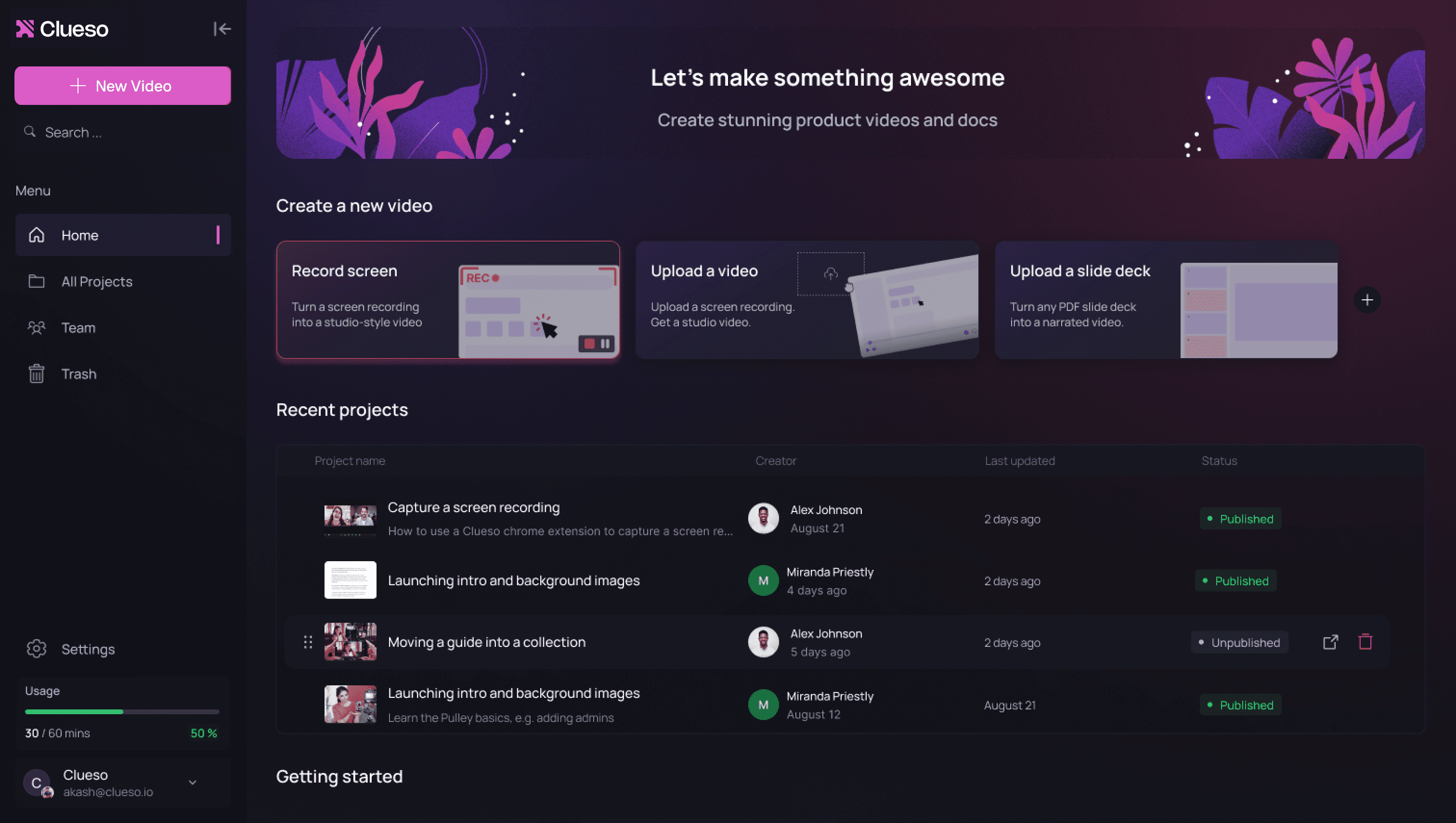
Key Features
- AI-powered script generation
- Studio-quality AI voiceovers in 40+ languages
- Prompt-based video creation
- Automatic article generation with screenshots and GIFs
- AI image and motion graphics generation
- Auto addition of visual effects
- Multi-language support with AI translations
- One-click branding and customization
- Clueprints: end-to-end video templates
- Easy content updates without re-recording
- Enterprise-grade security features
What Users Love
"Clueso has been a game changer in creating our user education content. We’re now generating high-quality user guides 10x faster.”
— Angelo Huang, Co-founder and CEO, Swif
➡️ Read more about how Swif transformed their customer education with Clueso here
Camtasia
A robust video editor that offers extensive customization for creating detailed product tutorials with professional transitions and effects.
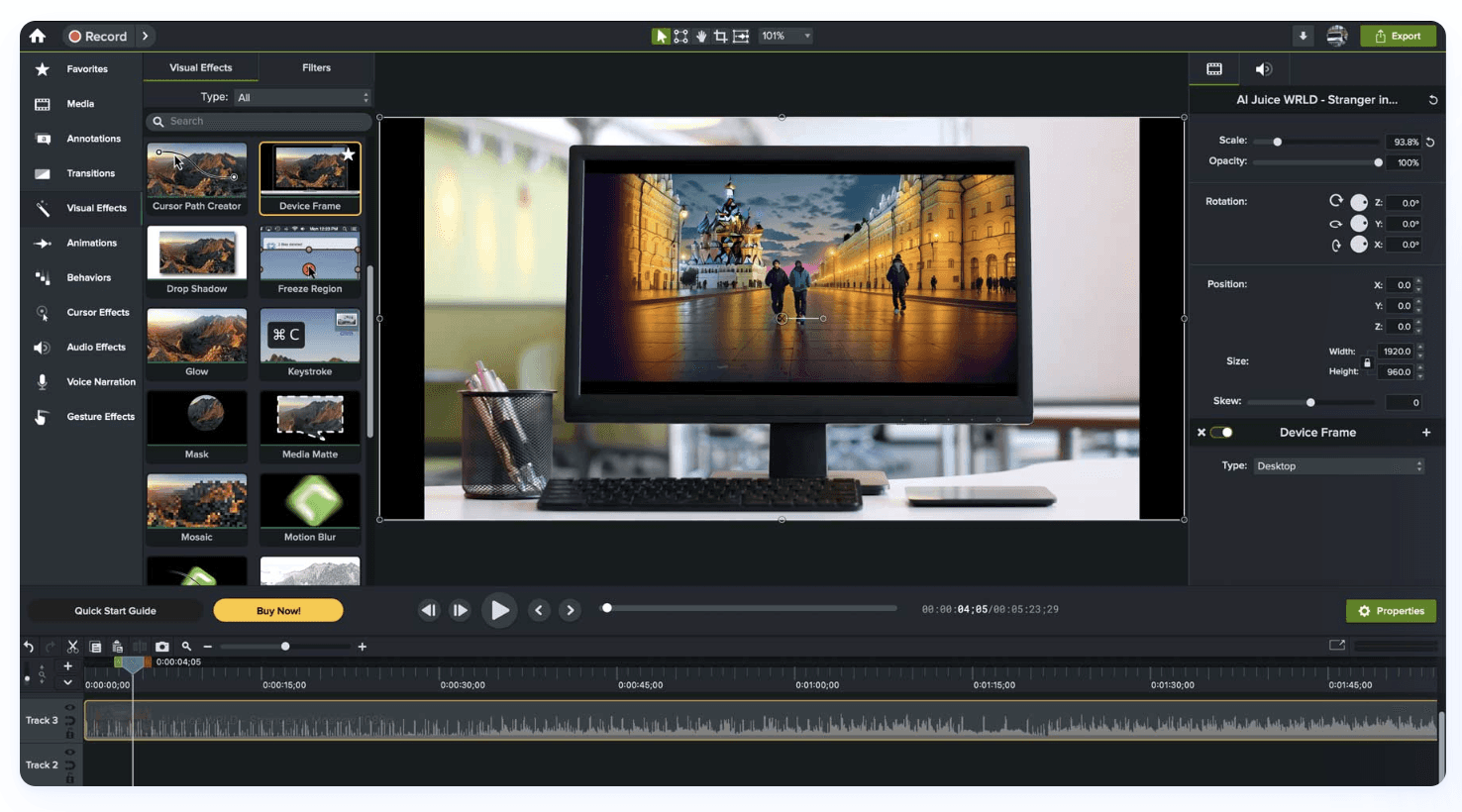
Source: TechSmith
Features:
- Full video editing suite
- Extensive effects library
- Multiple audio tracks
- Custom transitions
Pros:
- Powerful editing capabilities
- Large resource library
- Extensive customization options
- Strong community support </aside>
Cons:
- Steep learning curve
- Time-intensive editing process
- Manual voiceover recording required
- Expensive one-time purchase
Loom
Where Clueso and Camtasia focus on creating polished onboarding content, Loom emphasizes quick, informal video communication. Originally designed for internal team messaging, Loom has evolved to include basic features for customer-facing content. Its strength lies in speed and simplicity - perfect for quick updates or simple explanations. However, this simplicity comes at the cost of professional features - teams often find themselves needing additional user onboarding solutions to create the kind of polished, branded content modern customers expect.
A quick and simple solution for basic screen recording for simple product demos with easy sharing capabilities.
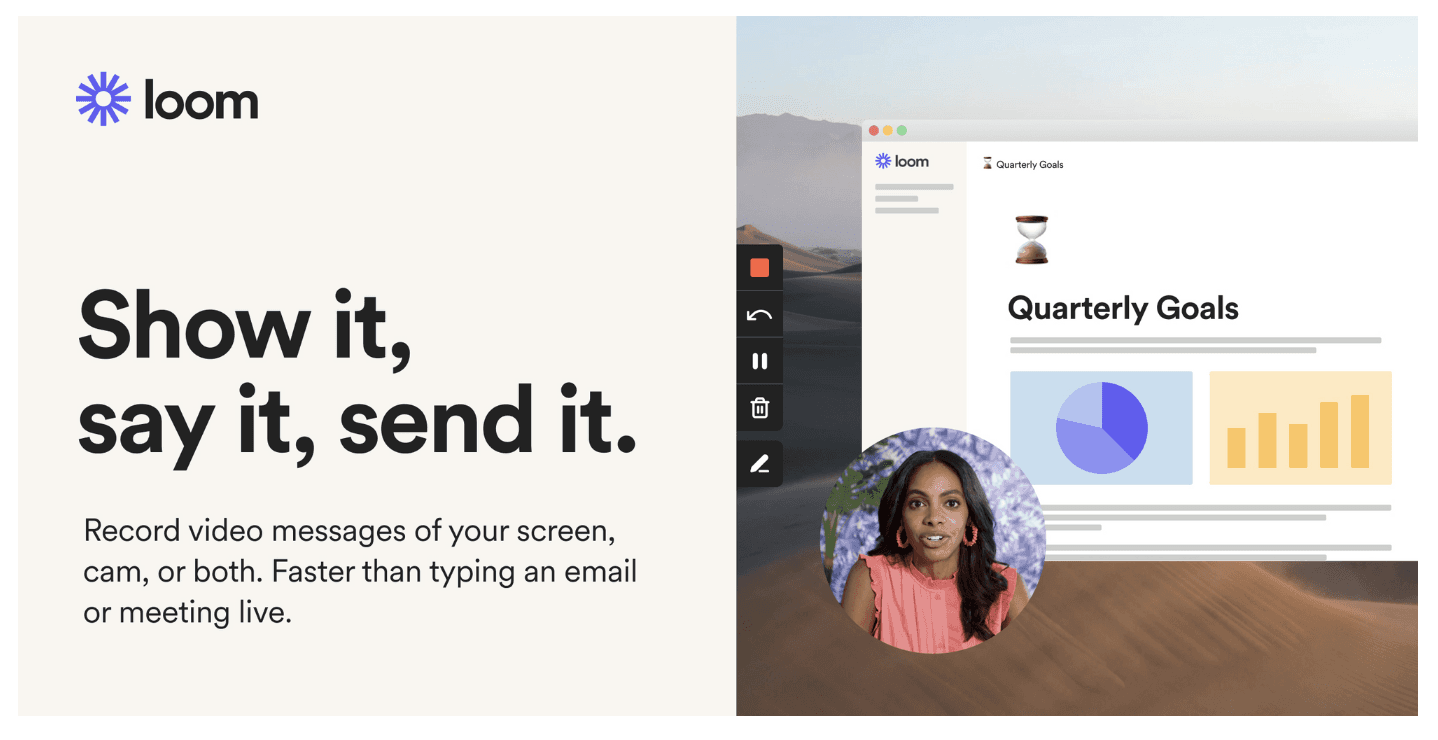
Source: Loom
Features:
- Quick recording via browser extension
- Basic editing capabilities
- Cloud storage
- Viewer insights
Pros:
- Easy to use
- Quick sharing options
- Good for team communication
- Reliable cloud storage
Cons:
- Limited professional features
- Basic editing capabilities
- No advanced effects
2. In-App Guidance Platforms
While video tutorials excel at demonstrating complex workflows, in-app guidance helps users discover features in context. These tools serve different but complementary purposes in your onboarding strategy. They typically appear as a series of tooltips or modals that highlight specific UI elements.
In-App Guidance Platforms: Quick Overview
| Feature | Pendo | UserPilot | AppCues |
|---|---|---|---|
| Event-based guide triggering | ✓ | ✓ | Enterprise only |
| Mobile Support | Limited | Limited | ❌ |
| Native analytics | ✓ | ✓ | ❌ |
| Knowledge base linking | ❌ | ✓ | Enterpise only |
| A/B Testing | Advanced | Basic | Basic |
Pendo
Pendo approaches onboarding from a data-first perspective, combining analytics with in-app guidance. Unlike content creation tools like Clueso that focus on comprehensive product education, Pendo specializes in understanding user behavior and creating targeted tooltips. While powerful for feature discovery, teams often find themselves needing additional onboarding software solutions for creating actual training content and documentation.
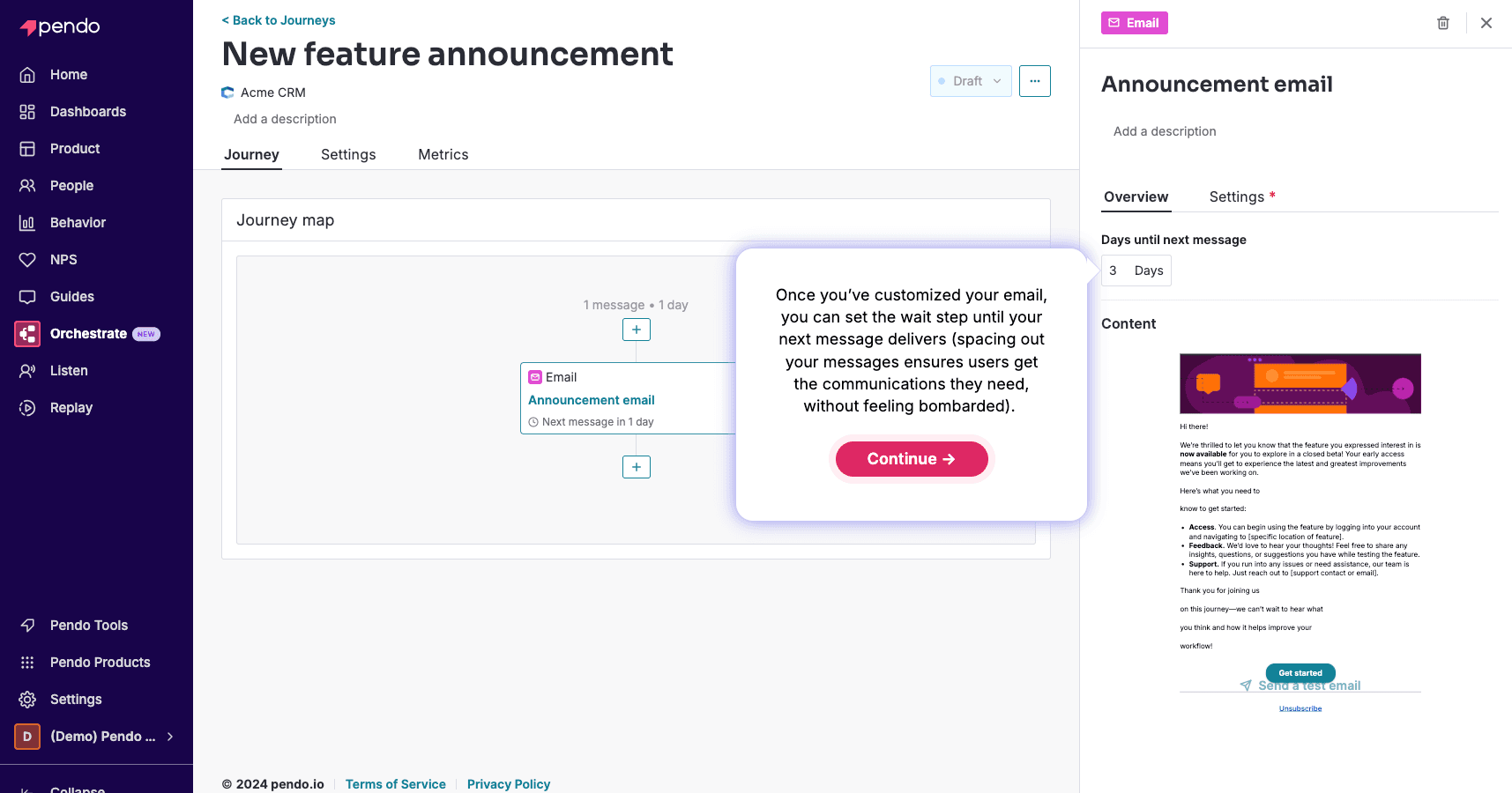
Source: Pendo
Features:
- Interactive walkthroughs
- User analytics
- Feature adoption tracking
- Custom messaging
- A/B testing
- Usage patterns
Pros:
- Deep analytics capabilities
- Good for data-driven decisions
- Strong enterprise features
- Multiple app support
Cons:
- No content creation capabilities
- Significant setup time
- Steep learning curve
UserPilot
UserPilot positions itself as a simpler alternative to Pendo, focusing on quick implementation of product tours and feature announcements. While this user onboarding software makes creating custom in-app guidance easy, and provides detailed analytics for product usage, it doesn’t support the actual creation of onboarding guides and videos.
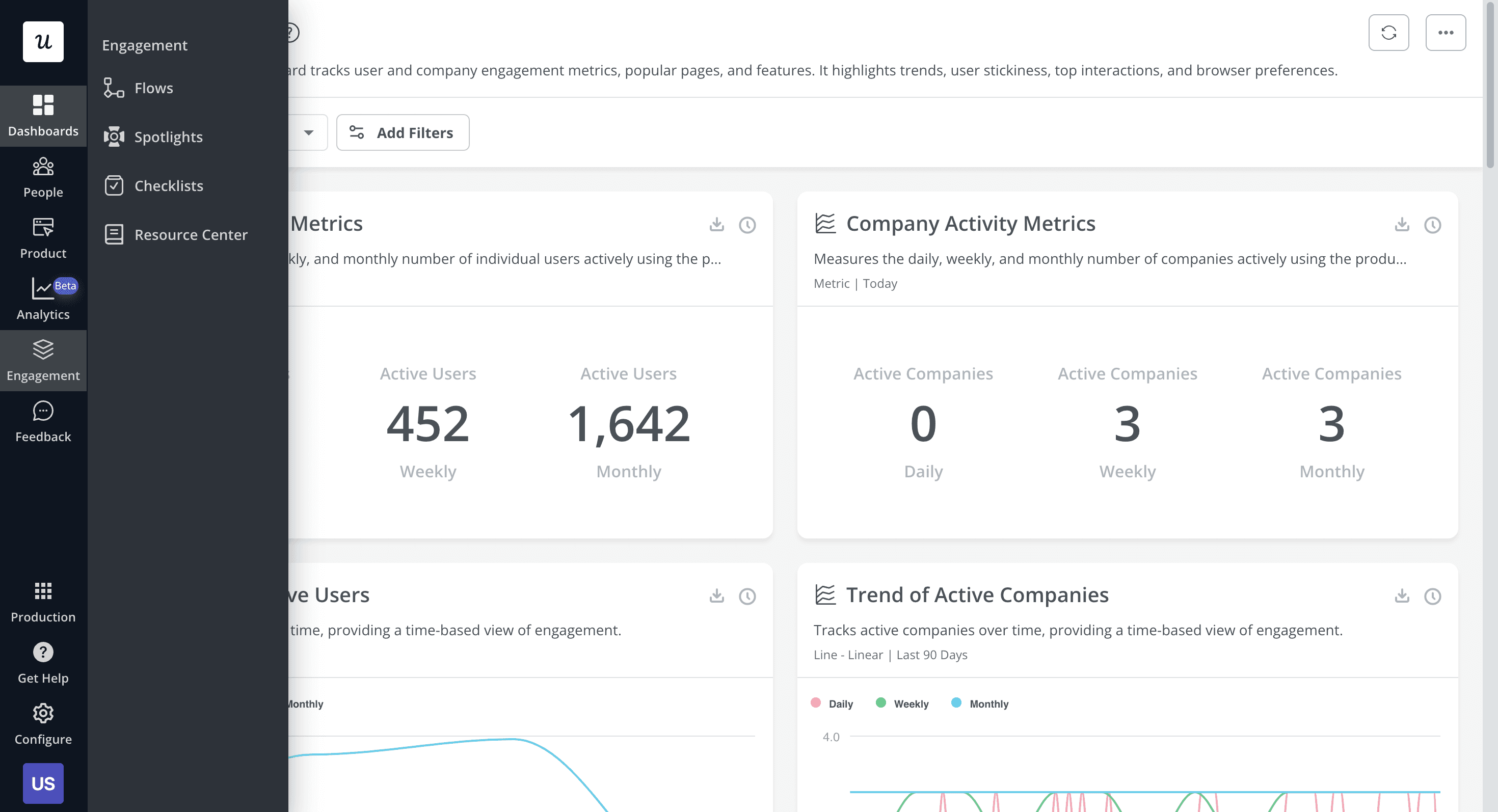
Source: UserPilot
Features:
- Code-free UI analytics
- User segmentation
- Resource center
- Simple implementation
Pros:
- Robust behavior tracking & analytics
- Easy to implement
- Good for gathering user feedback
Cons:
- No content creation capabilities
AppCues
AppCues strikes a middle ground between Pendo's complexity and UserPilot's simplicity in the in-app guidance space. However, like other saas onboarding tools in this category, it focuses solely on in-product experiences, requiring teams to use separate solutions for creating tutorial content and maintaining documentation.
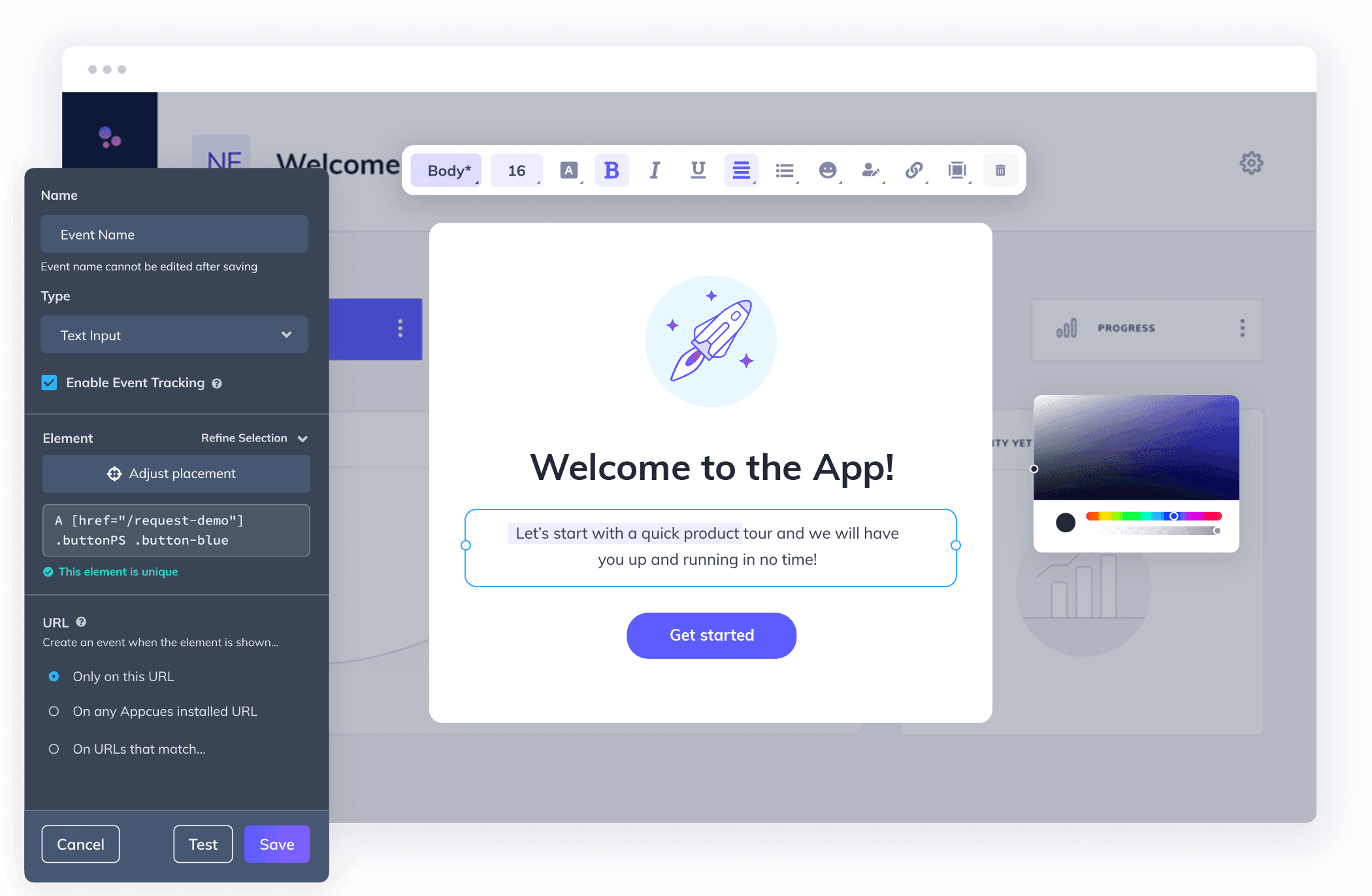
Source: AppCues
Features:
- No-code builder
- UI element tooltips & feature discovery
- Flow analytics
- Goal tracking
- Theme customization
Pros:
- Ideal for basic UI introduction and simple feature highlights
- Good for first-time user guidance
- Simple implementation
Cons:
- No content creation capabilities
- Cannot effectively demonstrate complex workflows or processes
- Can get expensive at scale
3. Digital Adoption
While onboarding videos and in-app guidance help users learn specific workflows, digital adoption platforms focus on driving long-term software adoption across complex systems. These platforms provide real-time guidance, interactive walkthroughs, and contextual assistance directly inside applications to help users complete tasks with minimal friction.
Digital Adoption Platforms (DAP): Quick Overview
| Feature | WalkMe | Whatfix |
|---|---|---|
| In-app guidance | ✓ | ✓ |
| Interactive walkthroughs | ✓ | ✓ |
| User behavior analytics | ✓ | ✓ |
| Cross-application support | ✓ | ✓ |
| Employee training workflows | ✓ | ✓ |
| Video onboarding support | ❌ | ❌ |
| Content creation capabilities | ❌ | ❌ |
WalkMe
WalkMe is one of the most established digital adoption platforms (DAPs), designed to help enterprises guide users through complex software workflows directly inside applications. Unlike onboarding content platforms like Clueso that focus on creating reusable onboarding education, WalkMe focuses on real-time in-app assistance, workflow automation, and employee software adoption across enterprise systems.
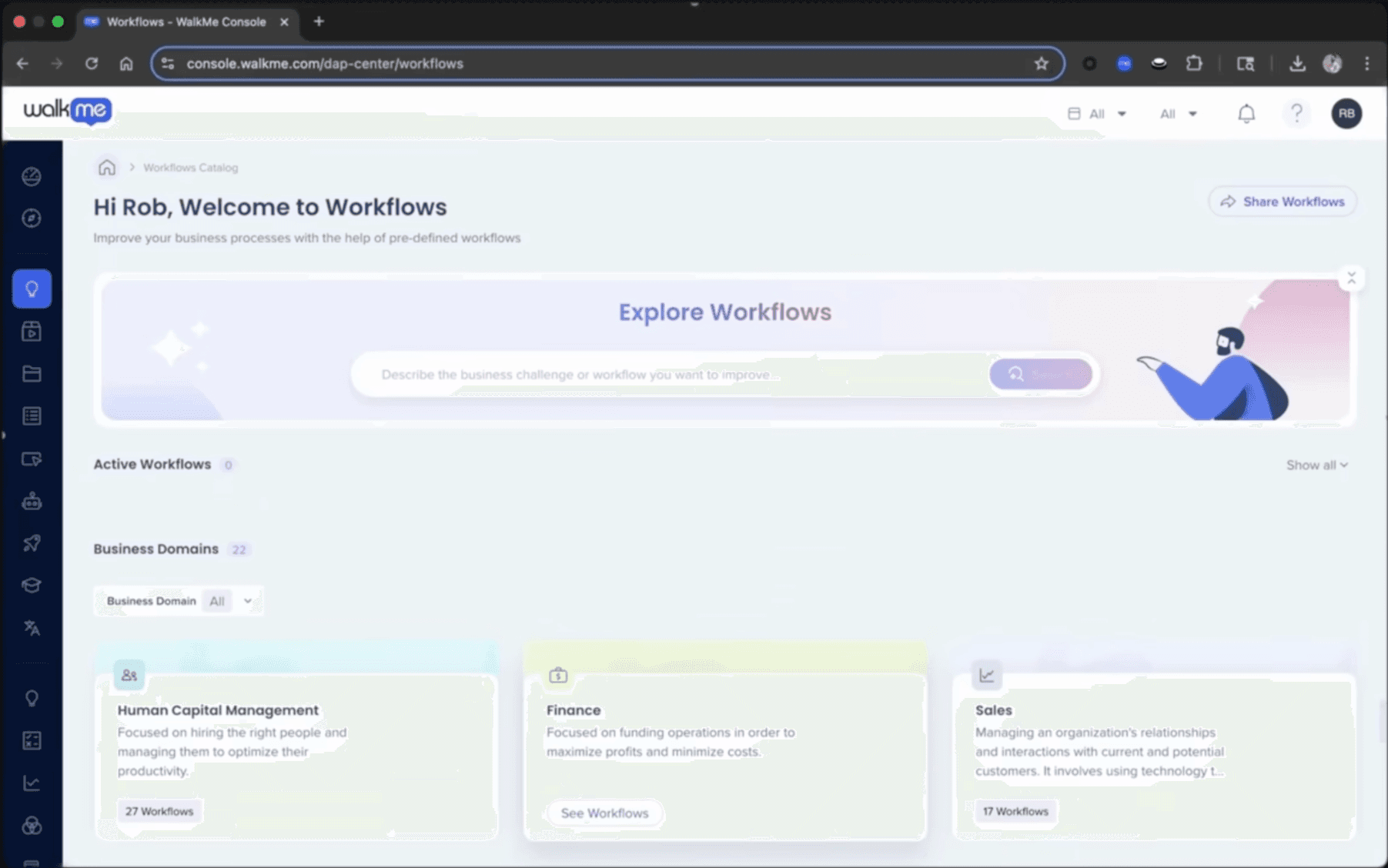
Source: WalkMe
Features:
- Interactive in-app walkthroughs
- Workflow automation
- Contextual guidance
- User behavior analytics
- Cross-application support
- Employee task assistance
Pros:
- Strong enterprise-grade onboarding capabilities
- Excellent for complex software ecosystems
- Advanced workflow automation
- Powerful analytics and adoption tracking
Cons:
- Significant implementation effort
- Requires technical setup
- Limited onboarding content creation capabilities
- Better suited for enterprise environments than SMB teams
Whatfix
Specializing in digital adoption, Whatfix creates interactive guides directly within applications. While effective for real-time software guidance, this platform for employee onboarding saas focuses solely on in-app experiences and lacks the ability to create comprehensive training content or documentation that users can reference outside the application.
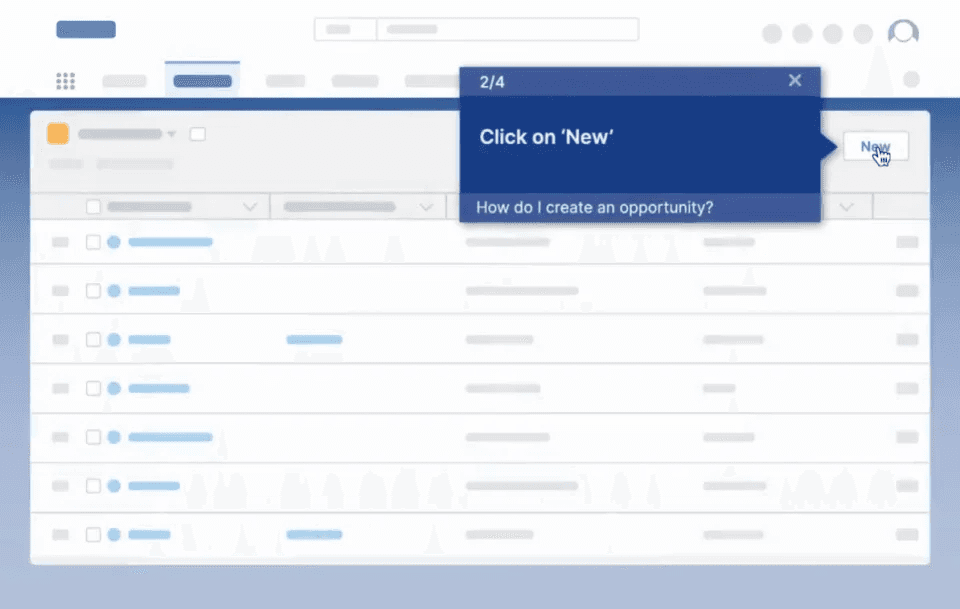
Source: Whatfix
Features:
- Interactive in-app guidance
- User analytics
- Pins and nudges
- SCORM compliance
- LMS integration
Pros:
- Good for software adoption
- Real-time guidance
- Analytics tracking
- Enterprise integration
Cons:
- Complex implementation
- Limited to in-app guides
- No video creation
- Expensive for large deployments
- Requires technical setup
4. Onboarding Project Management
This type of onboarding software for saas focuses on orchestrating the human side of onboarding, particularly valuable for companies with complex implementation processes requiring significant customer interaction.
Project Management Platforms: Quick Overview
| Feature | Rocketlane | Dock | GuideCX |
|---|---|---|---|
| Client Portal | ✓ | ✓ | ✓ |
| Project Templates | ✓ | ✓ | ✓ |
| Content hosting | ✓ | ✓ | ✓ |
| Content creation | ❌ | ❌ | ❌ |
Rocketlane
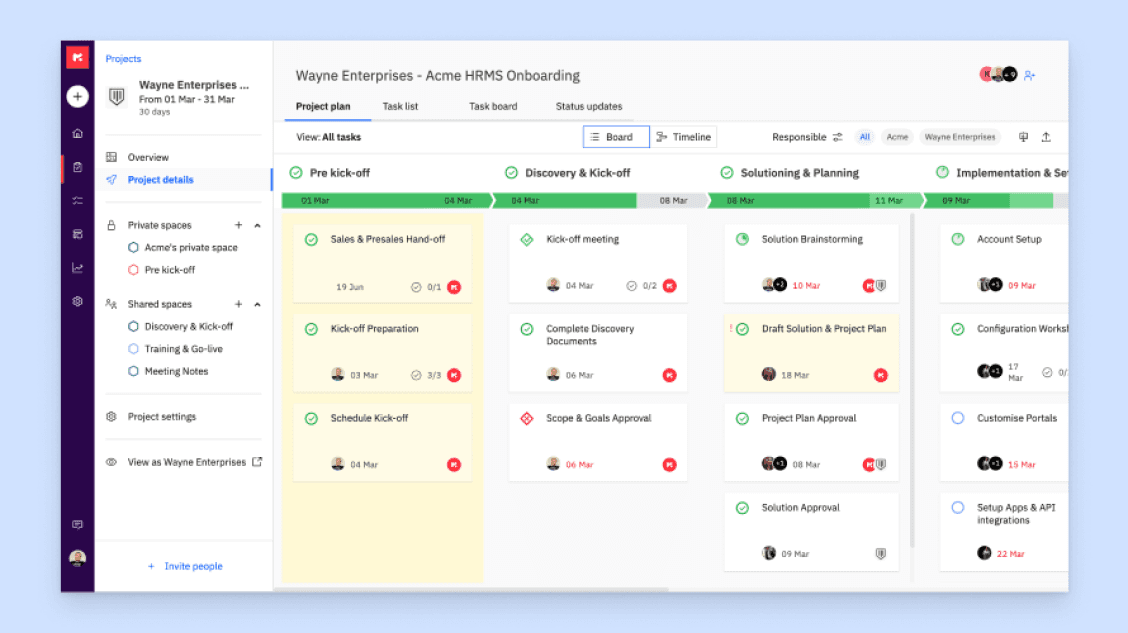
Purpose-built for managing high-touch customer onboarding, Rocketlane excels at coordinating complex implementation projects. While tools like Clueso handle the content creation aspect of onboarding, Rocketlane manages the project management and client communication aspects. This makes it complementary rather than competitive with content creation platforms.
Source: Rocketlane
Features:
- Customer portal
- Project templates
- Time tracking
- Document collaboration
- Milestone tracking
- Integration capabilities
Pros:
- Purpose-built for onboarding management
- Strong client collaboration
- Good project visibility tools
Cons:
- Requires separate content creation workflows
- Complex setup process
- Higher learning curve
Dock
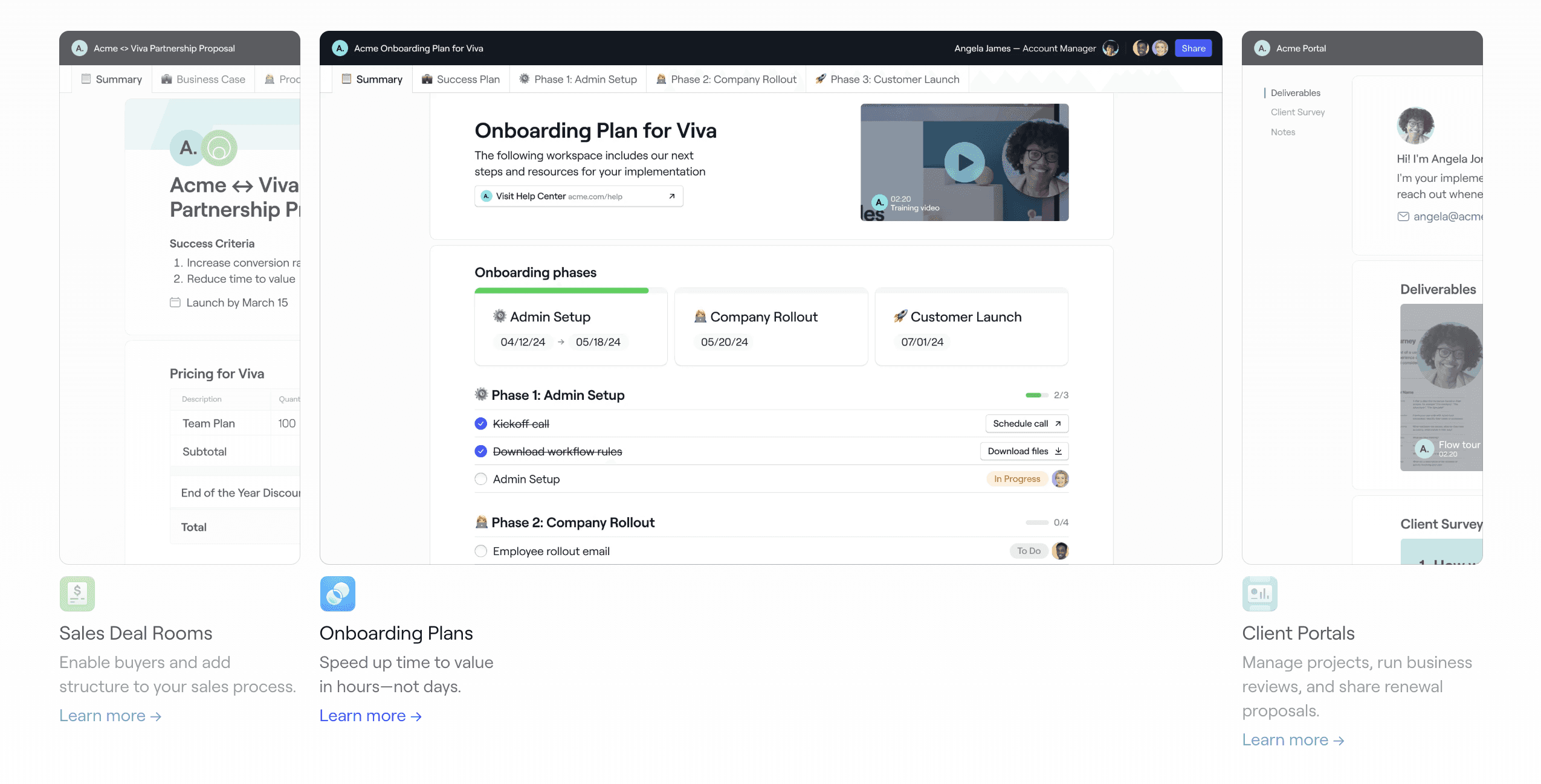
While Rocketlane focuses on project management, Dock approaches onboarding from a client portal perspective. Think of this saas customer onboarding software as a resource hub for all resources and communications shared with a client - right from the deal stage to onboarding to renewals. That said, this user onboarding software requires teams to create and maintain all the actual onboarding content using other tools. This makes it a good complement to content creation platforms like Clueso rather than a standalone onboarding solution.
Features:
- Sales deal rooms & client spaces
- Project tracking and visibility
- Document sharing
- Meeting scheduling
- Custom branding
Pros:
- Clean client interface
- Ready-to-use templates
- Easy to customize
Cons:
- Requires separate content creation workflows
- Not mobile-friendly
GuideCX
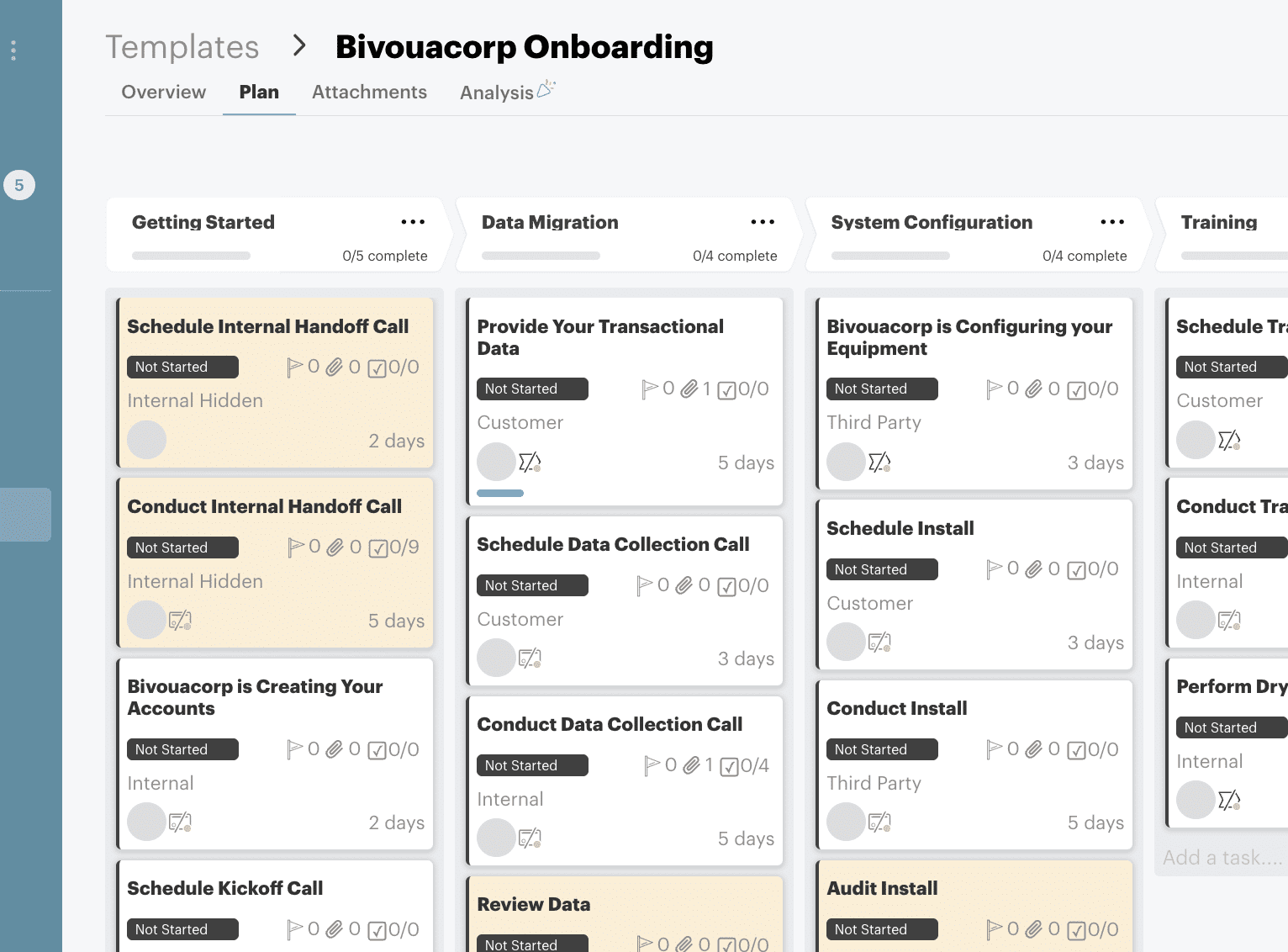
GuideCX combines elements of project management and client portals but focuses specifically on implementation tracking. Like other product onboarding tools in this category, it handles the coordination aspects of onboarding well but requires separate solutions for creating the actual training content and documentation that drives successful implementations.
Source: GuideCX
Features:
- Implementation tracking
- Task automation
- Client communication
- Resource sharing
- Progress reporting
- Team collaboration
Pros:
- Good for task management
- Strong progress tracking
- Client transparency
- Automation options
Cons:
- No content creation capabilities
- Limited customization
- Steep learning curve
Top Employee Onboarding Tools Compared
1. Company Practices & Cultural Training
Employee onboarding goes beyond teaching workflows — new hires also need to understand company culture, communication styles, policies, and organizational practices. These onboarding tools help organizations deliver consistent messaging and training experiences across distributed teams through videos, virtual sessions, and centralized learning resources.
Cultural Training Tools: Quick Overview
| Feature | Clueso | Synthesia | Teams | Zoom |
|---|---|---|---|---|
| Professional Videos | AI-enhanced | ✓ AI avatars | Basic recording | Basic recording |
| Process Documentation | ✓ | ❌ | ❌ | ❌ |
| Content Updates | Easy updates | Manual | Manual | Manual |
| Multi-language | ✓ | ✓ | ❌ | ❌ |
| Content Reusability | High | Medium | Limited | Limited |
| Enterprise Security | SOC2, ISO | SOC2, ISO | SOC2, ISO | SOC2, IAPP, GDPR ++ |
Clueso
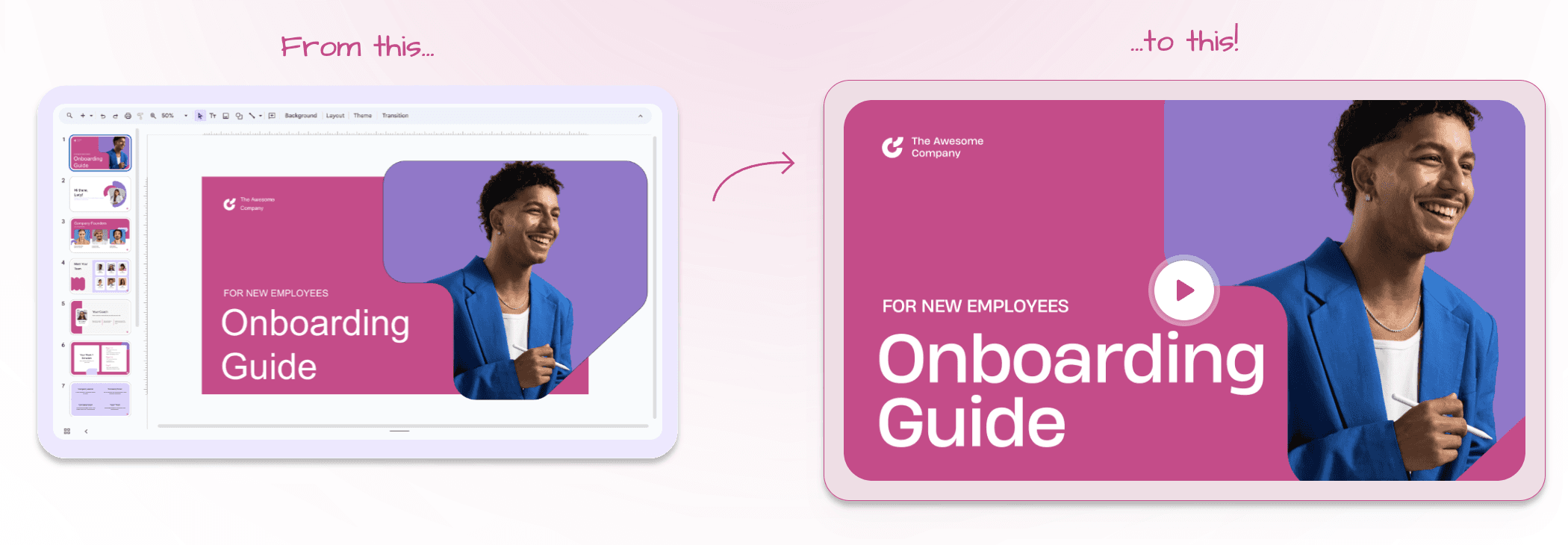
As an enterprise onboarding software for employee onboarding, Clueso shines in its ability to create consistent, professional training content that scales across the organization. Its unique combination of AI-powered video creation and automatic article creation makes it particularly valuable for teams that need to maintain large libraries of training content that requires frequent updates. Additionally, teams that have previously used slides to share onboarding materials can now convert these decks into slick videos with professional narration to create more engaging experiences.
Features:
- Professional videos and step-by-step documentation from a single recording
- Plan, create and edit videos by chatting with AI
- PPT/Slides to video conversion with professional voiceovers
- AI image and motion graphics generation
- Auto addition of visual effects like Zooms, Spotlights, Callouts
- Localization with translations and dynamic captions in 20+ languages
- Clueprints: end-to-end video templates
- Easy to update when features change
- Automated transcript generation
What Users Love:
“With Clueso, we created and launched 8 training courses for Duda’s new editor in just one quarter—something that otherwise would not have been possible given the resources we had. The ability to make dynamic updates to videos has truly been a game-changer for my team.”
— Cyrus Dorosti, VP of Customer Success, Duda
Synthesia
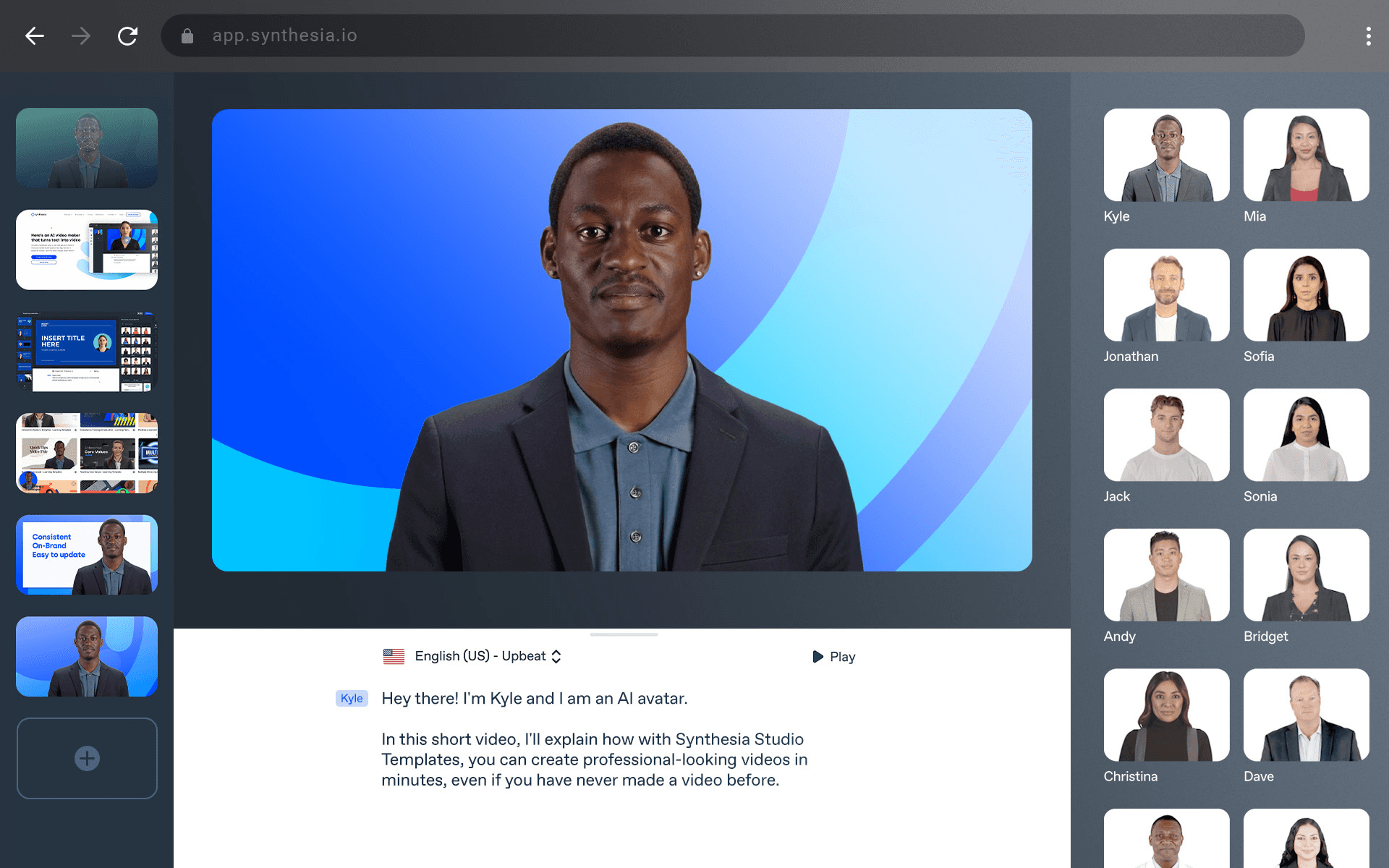
Synthesia takes a different approach to training content, focusing on creating presenter-led videos with AI avatars. While effective for certain types of corporate communications, it lacks the ability to show actual software interfaces or document real workflows, making it more suitable for high-level messaging than practical training.
Source: Synthesia
Features:
- AI avatar creation
- Script-to-video conversion
- Multi-language support
- Template library
- Studio backgrounds
Pros
- Good for corporate communications
- Multiple language options
- Professional presenter look
Cons
- Limited to talking head videos
- Requires pre-made scripts
- Cannot show actual product workflows
- No documentation generation
Teams/Zoom
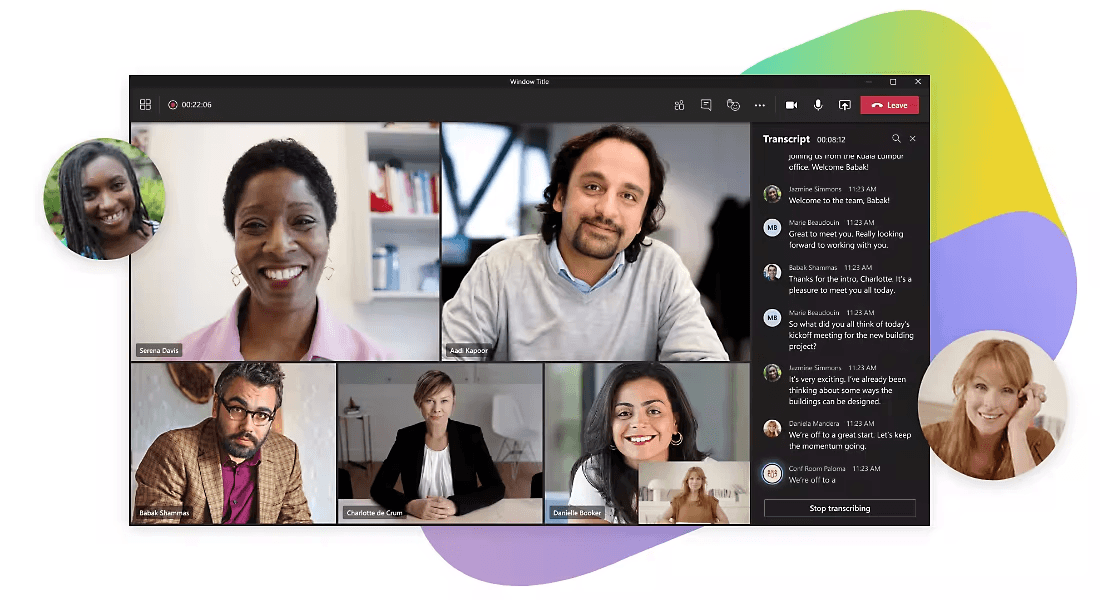
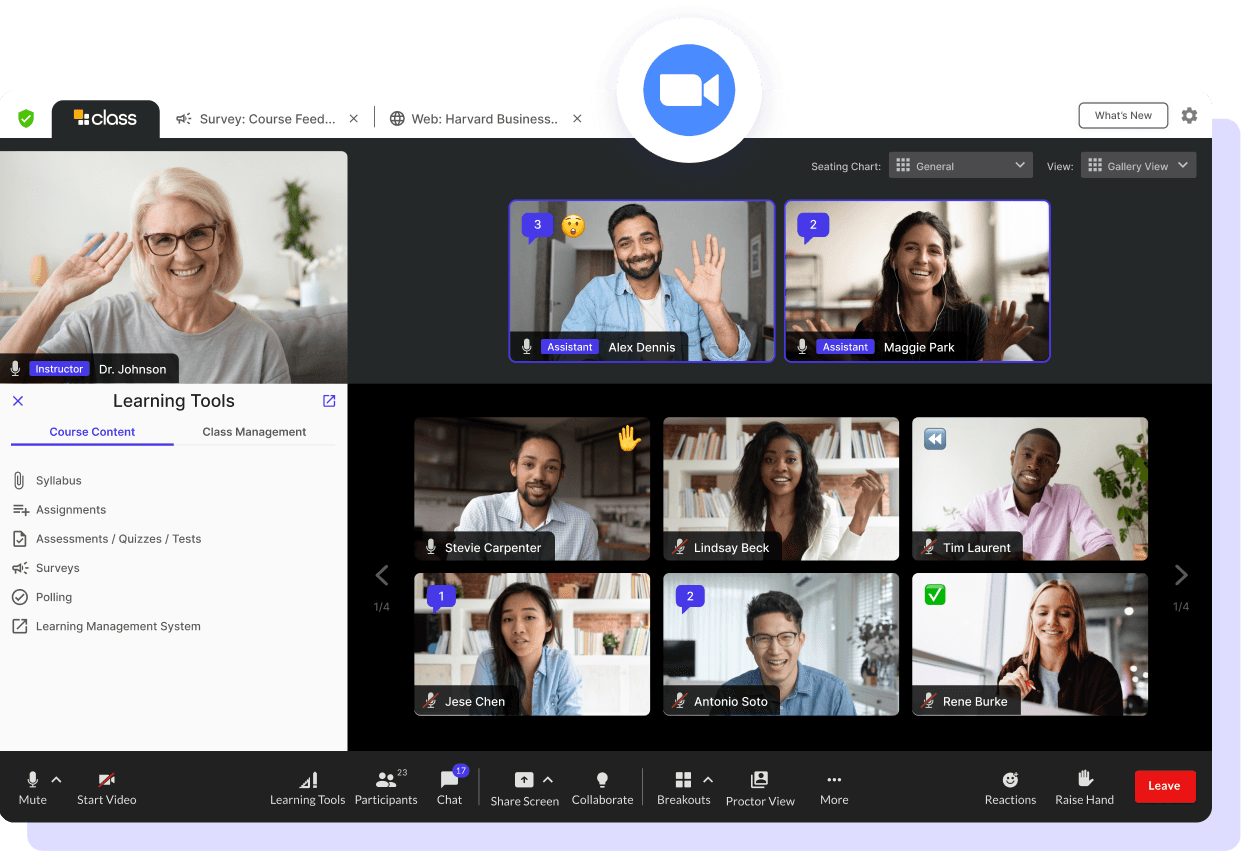
These communication platforms serve as the backbone for live virtual training sessions. While essential for real-time interaction and immediate feedback, they don't provide solutions for creating reusable training content or documentation, often requiring integration with other content creations tools like Clueso to create lasting training resources from live sessions.
Source: Microsoft Teams
Source: Zoom
Features:
- Live virtual training and session recordings
- Breakout rooms
- Chat features
- Calendar integration
Pros:
- Real-time interaction
- Good for group training
- Cloud-based recording
Cons:
- Basic recording features
- Limited post-production
- No documentation capabilities
- Updates require re-recording
2. Technical Training Solutions
Technical onboarding tools help employees and teams learn internal systems, software workflows, and operational processes more efficiently. These solutions are especially valuable for process-heavy environments where teams need repeatable walkthroughs, documentation, and system-specific training to reduce ramp-up time.
Technical Training Tools: Quick Overview
| Feature | Clueso | Whatfix | Tango |
|---|---|---|---|
| Interactive Guides | ✓ Video + Docs | ✓ In-app | Static only |
| Video Creation | ✓ Professional | ❌ | ❌ |
| Process Documentation | ✓ Enhanced | Limited | ✓ Basic |
| Content Updates | ✓ One-click | Complex | Manual |
| Implementation | ✓ Quick | Complex | ✓ Easy |
| Analytics | ✓ Full | ✓ Advanced | Basic |
| Enterprise Features | ✓ Comprehensive | ✓ Complex | Limited |
| 📖 Read more: Documentation Software
Clueso
Clueso simplifies technical training by turning real product workflows into professional, easy-to-follow training content. Unlike traditional training software that requires extensive editing or manual documentation, Clueso automates the creation of AI-narrated walkthroughs, step-by-step guides, and multilingual training resources from a single screen recording. This makes it especially valuable for teams training employees on internal tools, operational workflows, and complex software systems.
Key Features
- Plan, create and edit videos by chatting with AI
- AI-generated training narration from screen recordings
- Step-by-step documentation with screenshots and GIFs
- Auto addition of visual effects like Zooms and Spotlight
- Multi-language voiceovers and translations
- AI image and motion graphics generation
- Clueprints: end-to-end video templates
- Easy updates without re-recording training content
- Searchable training documentation
- Enterprise-grade collaboration and security features
What Users Love:
"With the adoption of Clueso, CareStack teams have produced 500+ videos in just six months, with a significant leap in output. This advancement has strengthened our ability to scale simplified tutorials and respond more effectively to the product needs across global markets like the US, UK, and Australia, ensuring faster, more consistent delivery."
— Sapna Maria Gomez, Manager - Product Content, CareStack
| 📖 Read more: How Carestack onboards with Clueso
Tango
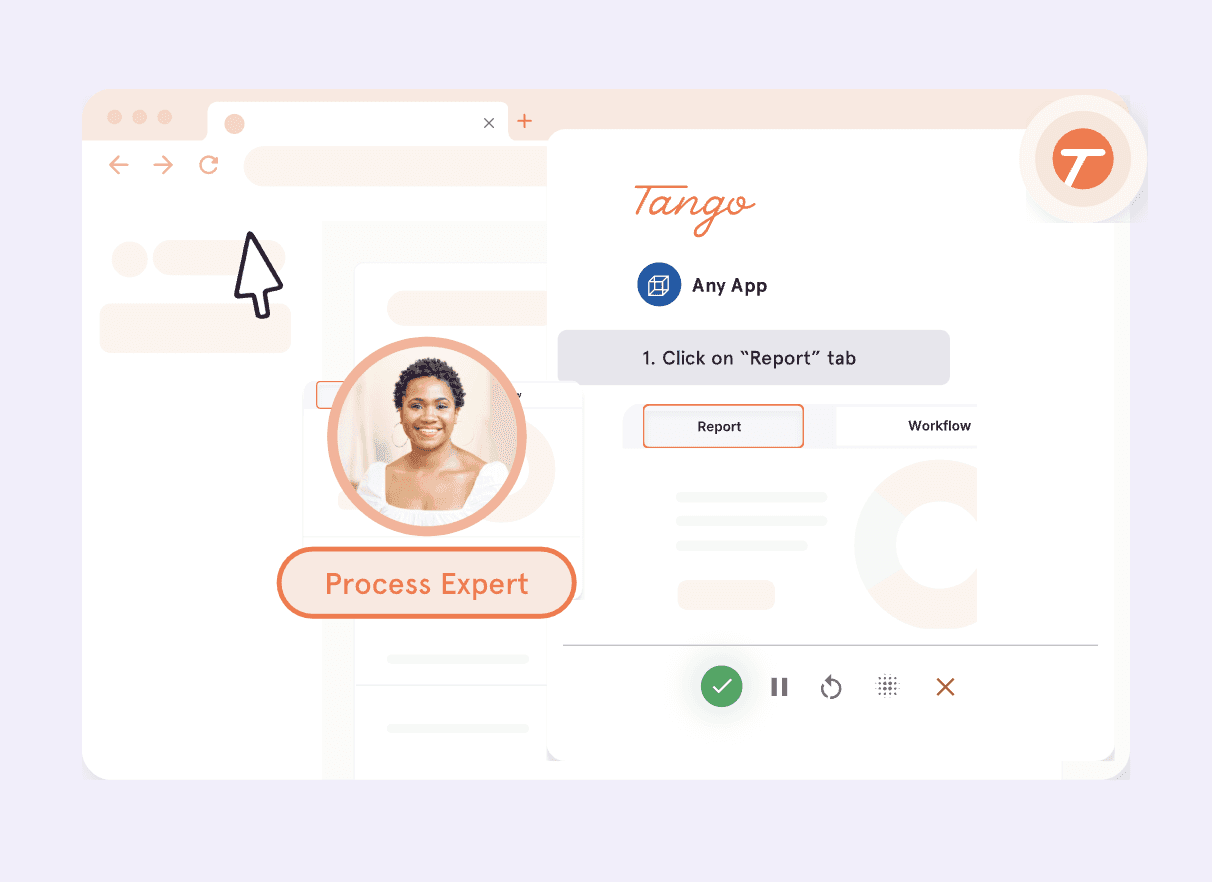
Tango automates the capture of step-by-step processes, making them useful for quick documentation of simple workflows. However, the output is limited to static guides, lacking the engagement of video content or the professional polish needed for formal training materials.
Source: Tango
Features:
- Automatic step capture
- Screenshot automation
- Basic formatting
- PDF export
- Easy sharing
Pros:
- Easy process capture
- Good for simple guides
- Low learning curve
Cons:
- Static content only
- Limited customization
- Chrome extension-only
- No video capabilities
- No professional features
3. HR & Employee Operations
Unlike training-focused onboarding tools, HR and employee operations platforms focus on the administrative side of onboarding. These systems help organizations manage employee records, payroll setup, compliance documentation, provisioning workflows, and other operational tasks required to onboard employees at scale.
HR & Employee Operations Platforms: Quick Overview
| Feature | BambooHR | Rippling | Workday | Gusto |
|---|---|---|---|---|
| Employee onboarding workflows | ✓ | ✓ | ✓ | ✓ |
| Payroll management | ✓ | ✓ | ✓ | ✓ |
| Benefits administration | ✓ | ✓ | ✓ | ✓ |
| Compliance documentation | ✓ | ✓ | ✓ | Limited |
| IT provisioning & device management | ❌ | ✓ | Limited | ❌ |
| Workflow automation | Limited | ✓ | ✓ | Limited |
| Learning & training content | ❌ | ❌ | Limited | ❌ |
| Video onboarding creation | ❌ | ❌ | ❌ | ❌ |
BambooHR
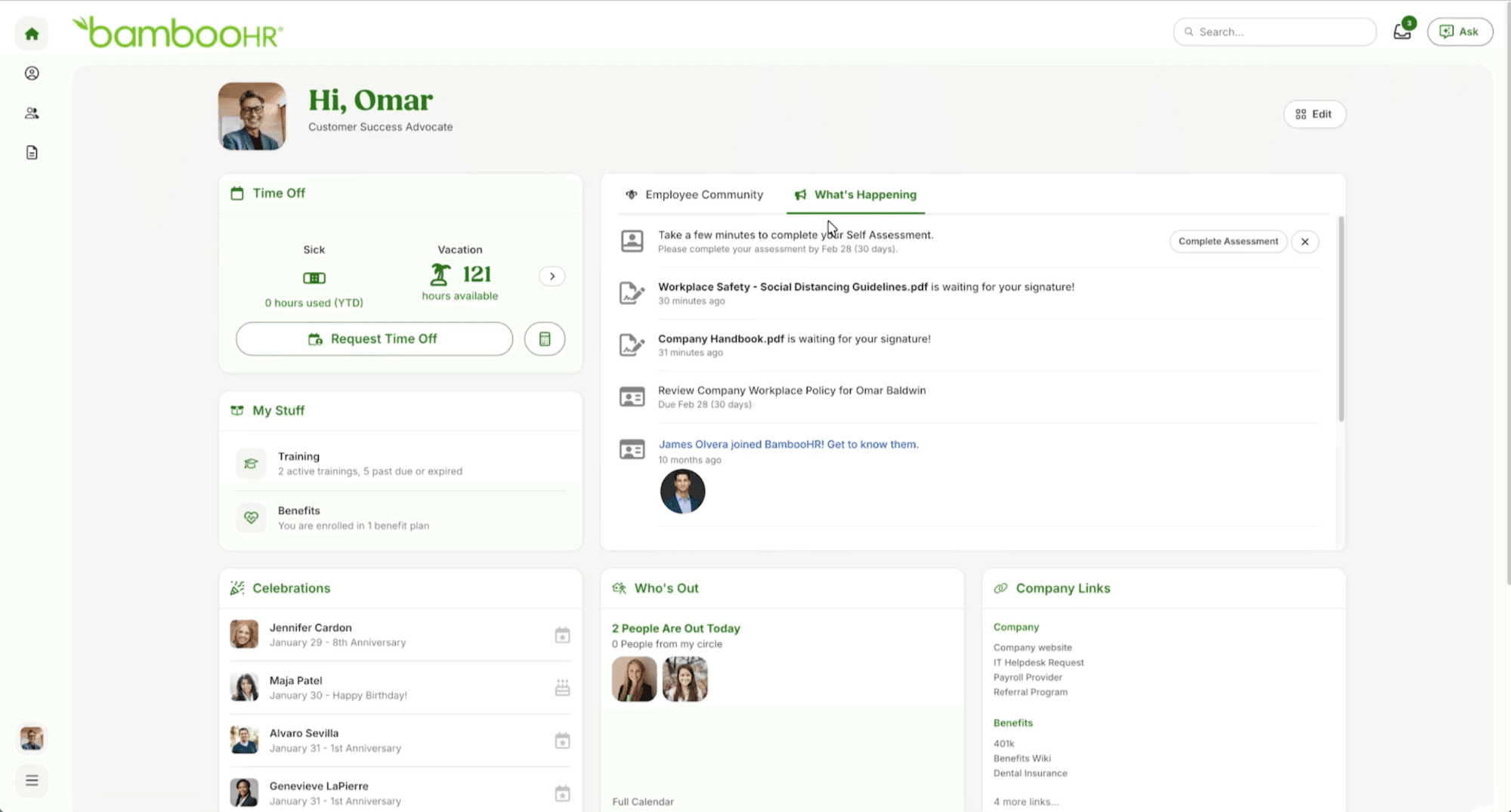
BambooHR focuses on simplifying employee onboarding and HR operations for growing companies. Unlike onboarding education platforms that specialize in training content and walkthroughs, BambooHR is built around employee lifecycle management, helping HR teams manage hiring, onboarding administration, and employee records efficiently.
Source: BambooHR
Features:
- Employee onboarding workflows
- Payroll and benefits management
- Document collection
- Time-off management
- Employee database
- HR reporting
Pros:
- User-friendly interface
- Strong HR workflow automation
- Good onboarding administration features
- Popular among SMB and mid-sized businesses
Cons:
- Limited employee training capabilities
- No onboarding video creation tools
- Not designed for product onboarding or software education
- Requires additional tools for onboarding content creation
Rippling
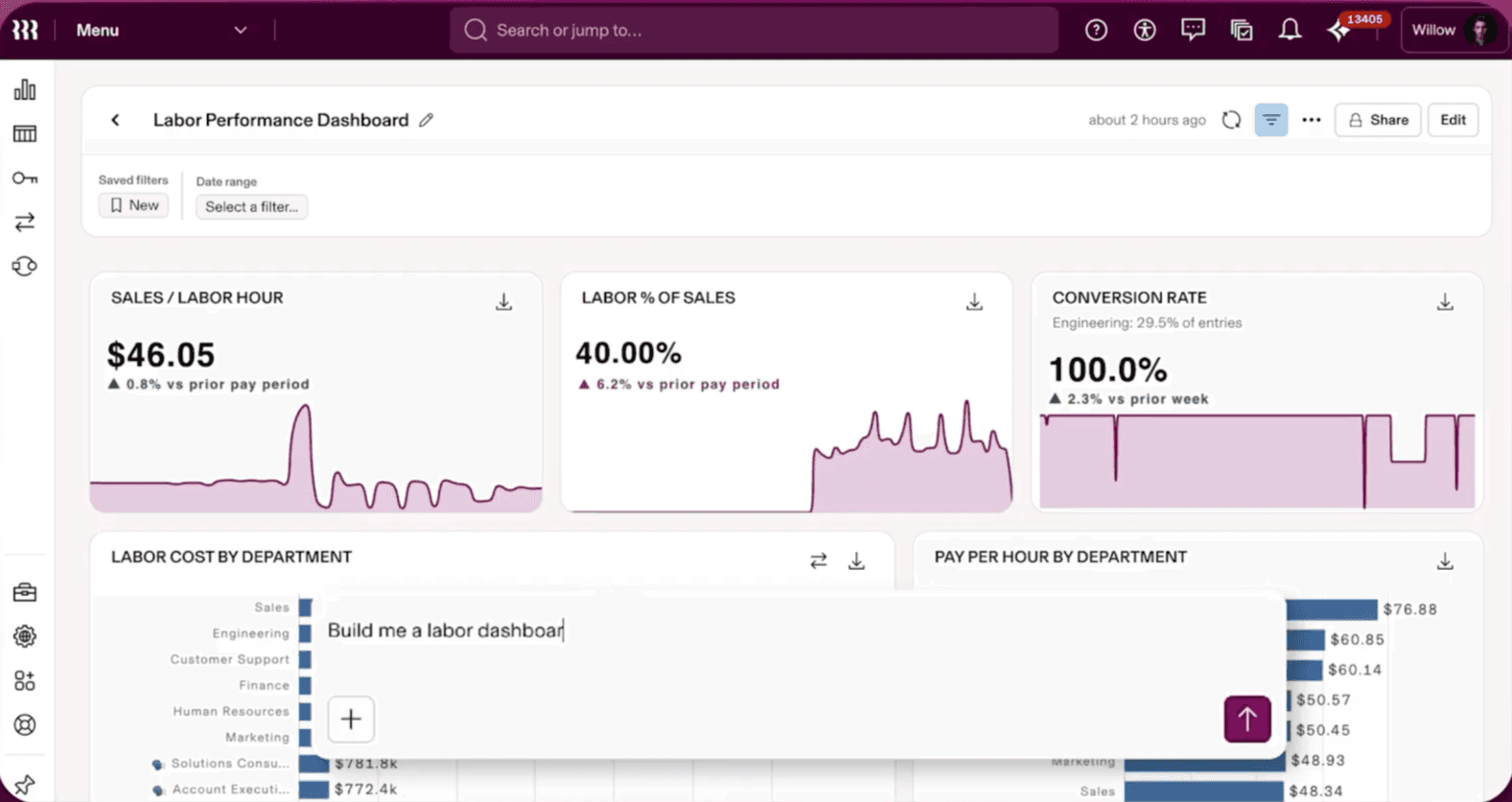
Rippling combines HR, payroll, and IT operations into a unified employee onboarding platform. Its biggest strength lies in automating employee provisioning workflows like app access, device setup, and compliance tasks, making it especially useful for fast-growing distributed organizations.
Source: Rippling
Features:
- HR and payroll automation
- Device and app provisioning
- Employee onboarding workflows
- Workflow automation
- Benefits administration
- Compliance management
Pros:
- Strong IT onboarding automation
- Centralized employee operations
- Good workflow customization
- Efficient for scaling organizations
Cons:
- Primarily focused on HR and IT operations
- Limited onboarding education capabilities
- No native onboarding video creation
- Can become complex for smaller teams
Workday
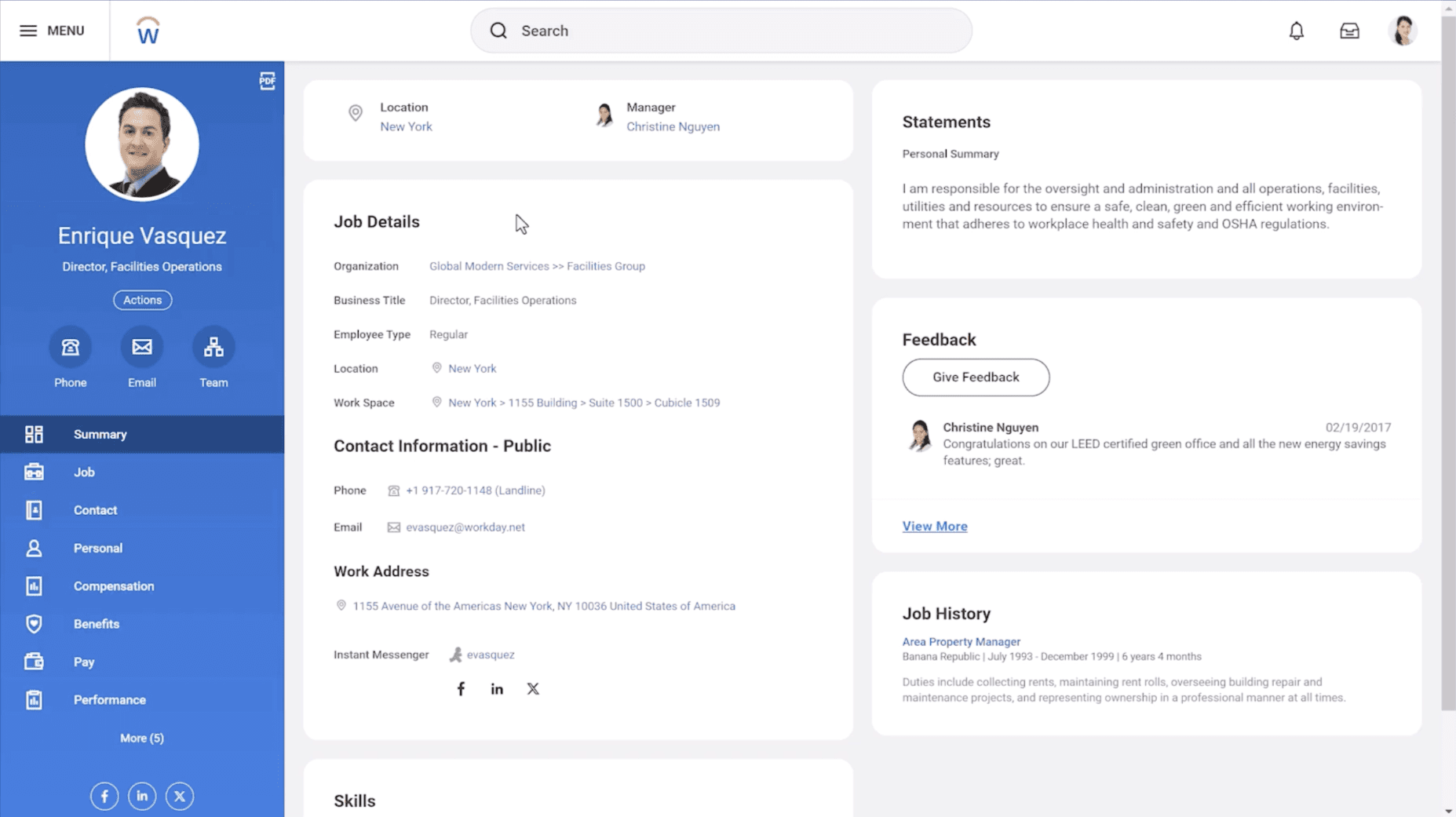
Workday is an enterprise-focused HR and workforce management platform widely used by large organizations for onboarding, compliance, and workforce operations. While highly powerful for enterprise HR administration, onboarding experiences often depend on integrations with separate learning and onboarding content tools.
Source: Workday
Features:
- Enterprise HR management
- Workforce planning
- Employee onboarding workflows
- Compliance tracking
- Reporting and analytics
- Learning management integrations
Pros:
- Powerful enterprise capabilities
- Strong compliance and reporting
- Highly scalable
- Extensive integrations
Cons:
- Complex implementation process
- Steep learning curve
- Expensive for smaller organizations
- Limited built-in onboarding content creation
Gusto
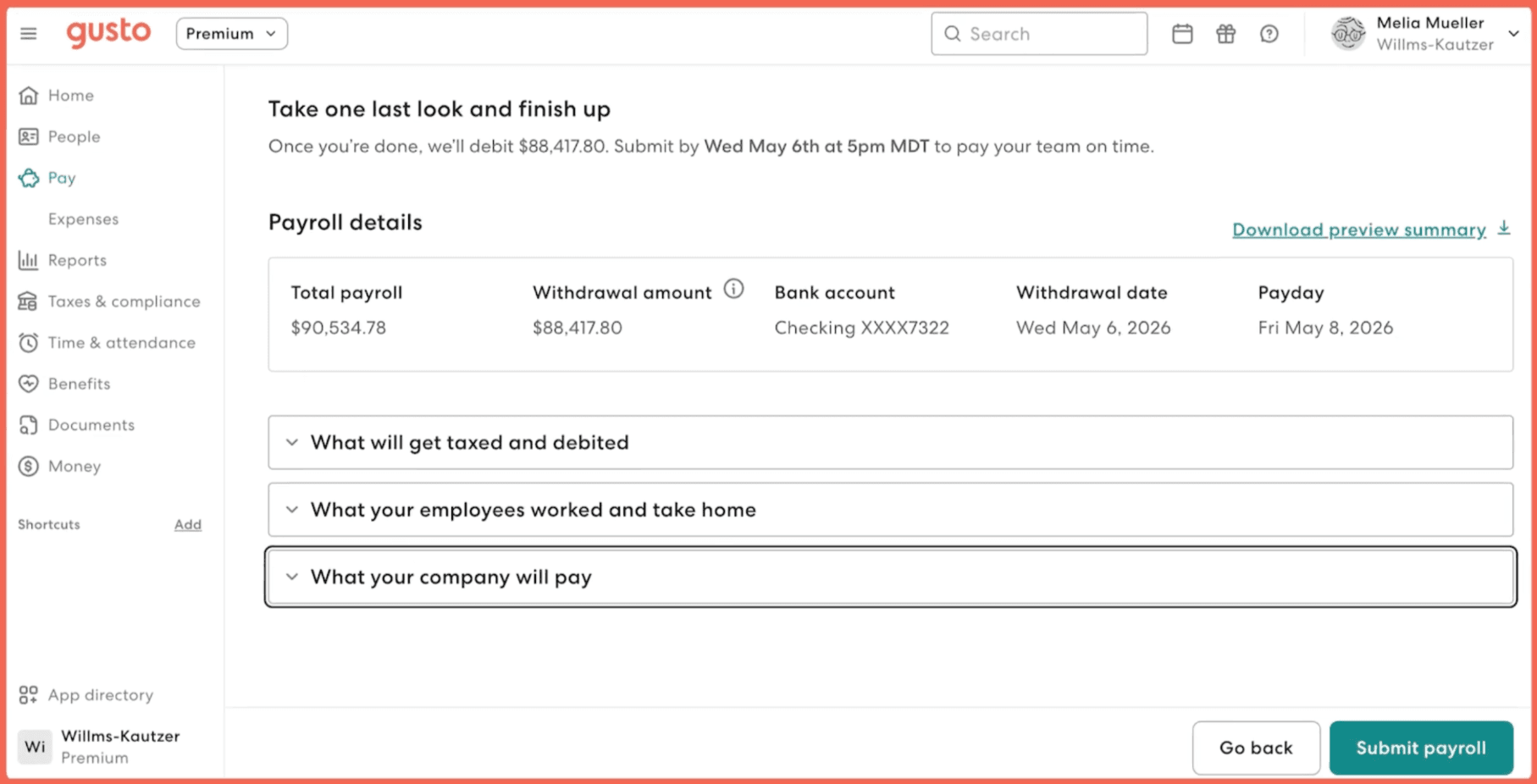
Gusto focuses on simplifying payroll, benefits, and employee onboarding for small businesses. It streamlines the administrative side of onboarding, helping HR teams manage hiring paperwork, employee records, and compliance workflows without requiring enterprise-level complexity.
Source: Gusto
Features:
- Payroll management
- Benefits administration
- Employee onboarding workflows
- Tax filing and compliance
- Hiring documentation
- Employee self-service portal
Pros:
- Easy to use
- Strong payroll automation
- Good for SMB onboarding workflows
- Simplifies onboarding administration
Cons:
- Limited training and onboarding education features
- No onboarding content creation tools
- Not designed for customer onboarding
- Fewer advanced enterprise capabilities compared to Workday or Rippling
Time-to-Value Optimization: Why Faster Onboarding Matters
One of the most important onboarding metrics for modern SaaS companies is time-to-value (TTV) — the amount of time it takes for a customer or employee to experience meaningful value after onboarding begins.
The faster users understand product functionality, operational processes, and implementation steps; the faster organizations can improve product adoption, activation rates, and employee productivity.
The Operational Difference Between Traditional and Reusable Onboarding Content
| Onboarding Approach | Time-to-Value Impact |
|---|---|
| Live onboarding calls | Personalized but slower to scale |
| Static documentation | Searchable but harder to follow visually |
| In-app product tours | Good for feature discovery |
| Reusable onboarding videos | Faster async onboarding and better workflow clarity |
| AI-generated walkthroughs | Faster content production and easier onboarding updates |
As onboarding programs scale, reusable onboarding content often becomes critical for maintaining onboarding consistency while reducing onboarding delays.
How Clueso Helps Reduce Time-to-Value
Clueso is particularly effective for reducing onboarding friction because it allows teams to quickly create onboarding walkthroughs that users can consume asynchronously.
This helps onboarding teams:
- reduce repetitive onboarding sessions
- scale onboarding globally
- shorten onboarding cycles
- improve onboarding consistency
- accelerate product understanding
especially in SaaS and operational onboarding environments where products evolve rapidly.
Best Practices for Creating Effective Onboarding
Content Strategy
Map Your Onboarding Journey
- Define clear paths for different user segments
- Create content hierarchy based on user needs
- Plan update frequency and maintenance
- Consider multi-channel distribution
- Set clear success metrics
Production Standards
- Establish branded templates
- Define quality benchmarks
- Create review processes
- Set up content governance
- Maintain consistent voice and tone
Content Management
- Regular content audits
- Version control system
- Update triggers defined
- Archive strategy
- Content reuse plan
ROI Measurement
Track these metrics to measure the impact of your onboarding:
Customer Onboarding Metrics
| Short-term Impact | Long-term Impact |
|---|---|
| Time to first value | Customer retention |
| Feature adoption rates | Product adoption |
| Support ticket volume | Customer satisfaction |
| User engagement | Expansion revenue |
| Completion rates | Net revenue retention |
Employee Onboarding Metrics
| Short-term Impact | Long-term Impact |
|---|---|
| Time to productivity | Employee retention |
| Training completion rates | Team productivity |
| Knowledge retention | Cross-team collaboration |
| Tool adoption rates | Employee satisfaction |
| Feedback scores | Internal mobility |
Choosing the Right Onboarding Software
The best onboarding software depends on the kind of onboarding experience your team wants to create. Some platforms are built for HR operations and employee management, others focus on in-app guidance or onboarding project coordination.
As onboarding expectations continue to evolve, companies are increasingly moving toward self-serve and async onboarding models that help users reach value faster without relying entirely on live calls or repetitive training sessions. This shift has made onboarding videos, product walkthroughs, and searchable documentation essential parts of modern onboarding strategies.
As you evaluate onboarding software, focus on the workflows that matter most for your organization — whether that’s technical training, product adoption, or enterprise onboarding management. The right onboarding solution should not only help users learn faster, but also reduce onboarding friction, improve consistency, and scale effectively as your organization grows.
Frequently Asked Questions About Onboarding Software
General Questions
What's the difference between customer and employee onboarding software?
While there's some overlap in features, customer onboarding software typically focuses on product adoption and self-service learning, while employee onboarding software emphasizes internal processes and compliance. However, modern tools like Clueso serve both use cases effectively by providing flexible content creation capabilities.
Do I need different tools for different types of onboarding?
Not necessarily. While some organizations use specialized tools for specific needs, modern platforms often combine multiple capabilities. For example, you can use Clueso for both video tutorials and documentation, while complementing it with in-app guidance tools for specific feature discovery needs.
How long does it take to implement an onboarding solution?
Implementation time varies by solution type:
- Content creation tools (like Clueso): 1-2 days
- In-app guidance platforms: 2-3 weeks
- Project management tools: 1-2 weeks
- Enterprise solutions: 4-8 weeks
How do video tutorials improve onboarding outcomes?
Video tutorials reduce support tickets, improve feature activation, and allow users to learn at their own pace. Wyzowl data shows 75% of employees prefer video over text documentation.
What is a digital adoption platform (DAP) and how is it different from onboarding software?
A DAP adds interactive guidance directly into your software UI. Onboarding software creates external video and doc content users consume before or alongside the product.
How long should customer onboarding take?
Best-in-class SaaS onboarding is 1-14 days depending on product complexity. High-touch enterprise onboarding can take 30-90 days. Good video content speeds up both.
Cost & ROI
How much should I budget for onboarding software?
Pricing varies by solution type:
- Basic tools: $8-15/user/month
- Professional solutions: $50-250/month
- Enterprise platforms: Custom pricing Consider features, time savings, and team size when evaluating costs.
How do I measure the ROI of onboarding software?
Track metrics such as:
- Reduction in training time
- Decrease in support tickets
- Improvement in feature adoption
- Time saved in content creation
- Customer/employee satisfaction scores
What metrics should I track for customer onboarding?
Track time-to-first-value, feature activation rate, completion rate of onboarding steps, and NPS at Day 30. Tools with analytics help you identify where users drop off.
Technical Questions
What are the minimum technical requirements?
Most modern tools require:
- Updated browser (Chrome recommended)
- Stable internet connection
- 8GB RAM minimum Specific requirements vary by platform.
Can I update content when products or processes change?
Yes, but capabilities vary:
- AI-powered platforms like Clueso: Easy updates without re-recording
- Traditional tools: Usually require complete re-recording
- Basic tools: Need new recordings for changes
Content Creation
How do I maintain consistent quality across teams?
Look for tools that offer:
- Branded templates
- Style guides
- Team collaboration features
- Review workflows
- Automated quality controls
What's the best format for onboarding content?
Consider a mix of formats:
- Video tutorials for complex processes
- Interactive guides for feature discovery
- Written documentation for reference
- Live sessions for personal touch Choose tools that support multi-format content creation and management.
Enterprise Considerations
What security features should I look for?
Key security features include:
- SOC 2 compliance
- SSO integration
- Role-based access
- Content permissions
- Secure hosting
- Audit logs
Can I create onboarding content in multiple languages?
Yes, but capabilities vary:
- AI-powered tools like Clueso: Often offer automatic translation and localized voiceovers
- Traditional tools: Require manual translation and recording